 Budget Buddy
Budgets thatkeep score
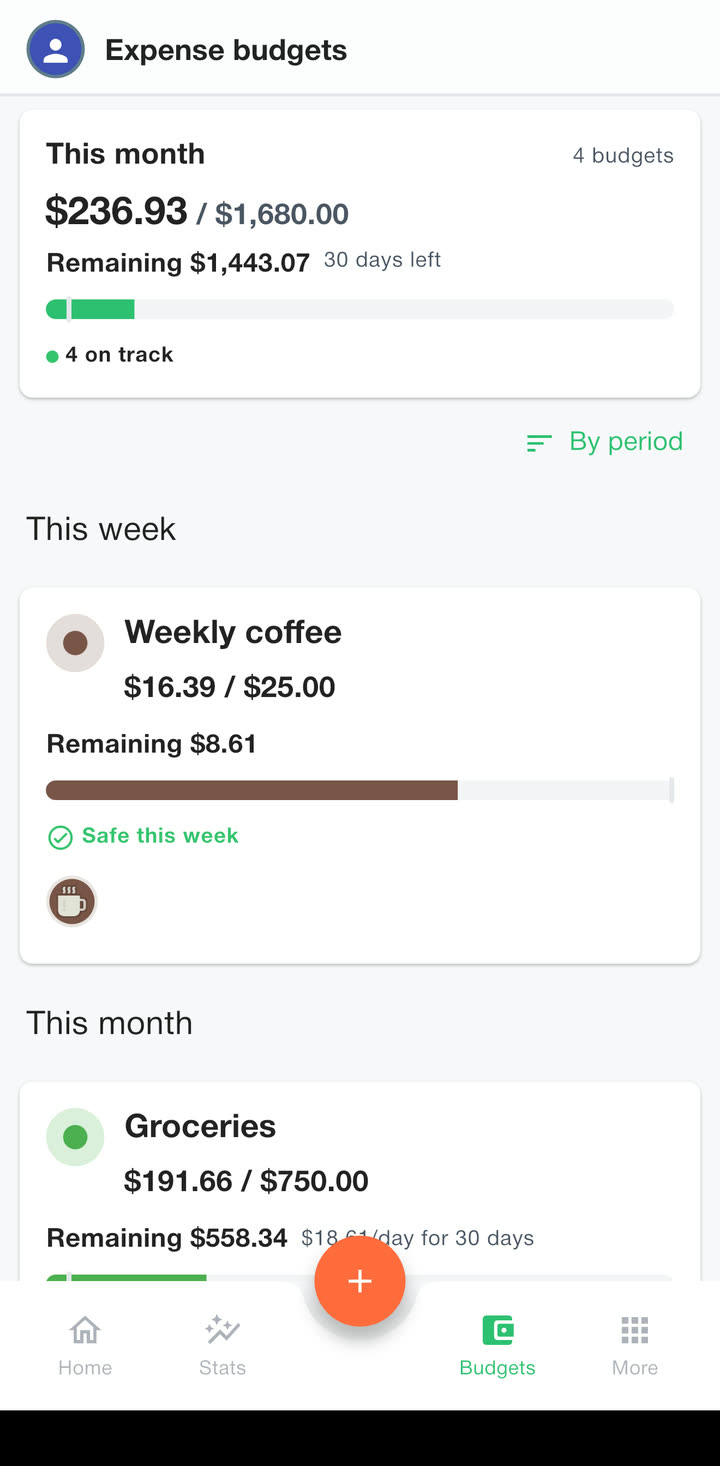
Give a category a budget and Budget Buddy shows what is left, how fast it is going and the day it will run out. One screen adds them all up and counts how many are on track.
Left to spend today
Home opens with one number: how much you can still spend today and stay within your budgets.
It takes what is left in each budget and spreads it over the days left in the period, so a quiet Monday leaves more for Saturday.
When will it run out?
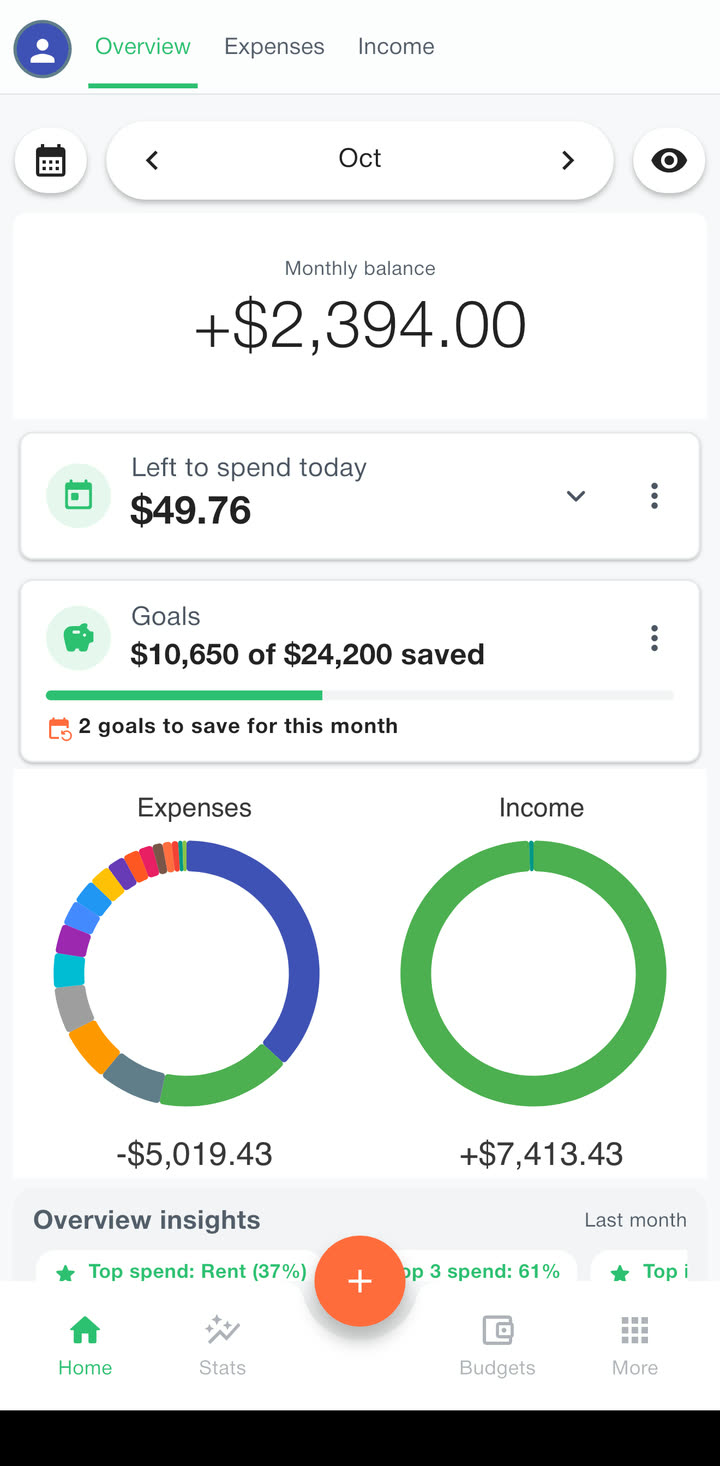
The app watches how fast you spend and tells you the day the money runs out, or that you are safe this month.
Move the sliders: the more you spend, the more the circle fills.
Monthly budget · Groceries
Setting one up
A day, a week, a month or a year, and a monthly budget can start on your payday. It starts fresh on its own when the period ends.
One budget can cover Groceries and Eating out together.
You see it coming before you go over, not after.
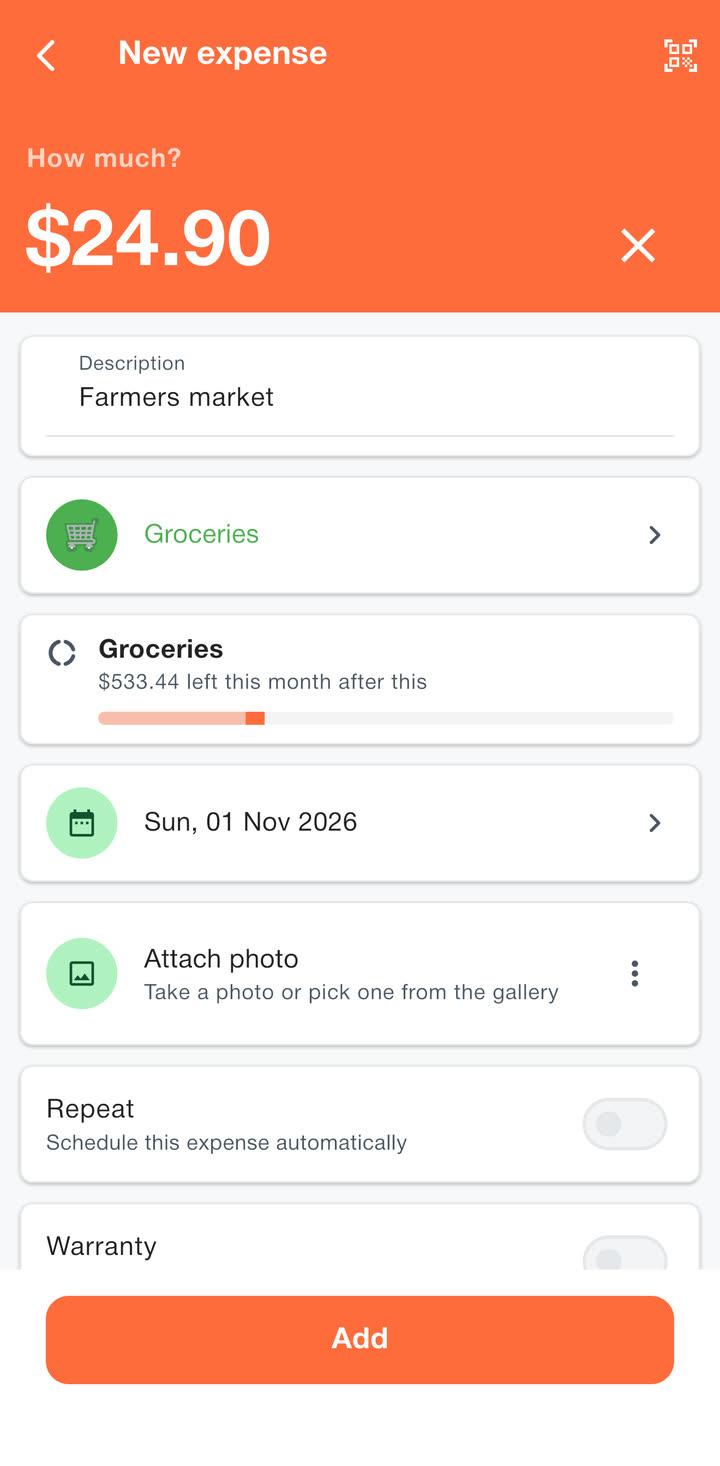
Adding an expense shows what the budget will have left after it. The free version has three budgets. Premium has as many as you want.
Spending alerts
A short summary each morning with what you can spend today, and a check-in the evening before your week starts.
Budget alerts warn you while there is still time to slow down, and again if a budget goes over. Skip the morning summary on days when every budget is on track.
Your track record
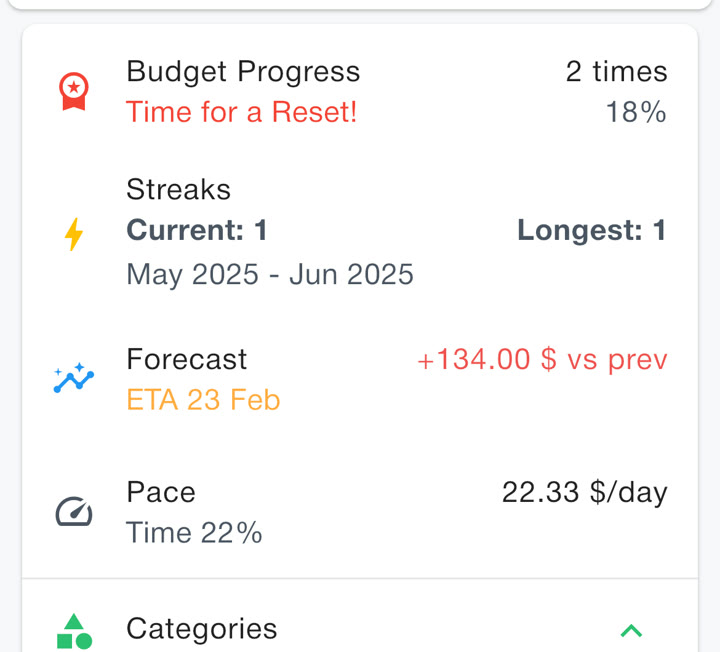
See how many months you stayed under budget, and how long your best streak is.
Each budget also shows whether you spent more or less than last time.
Savings goals
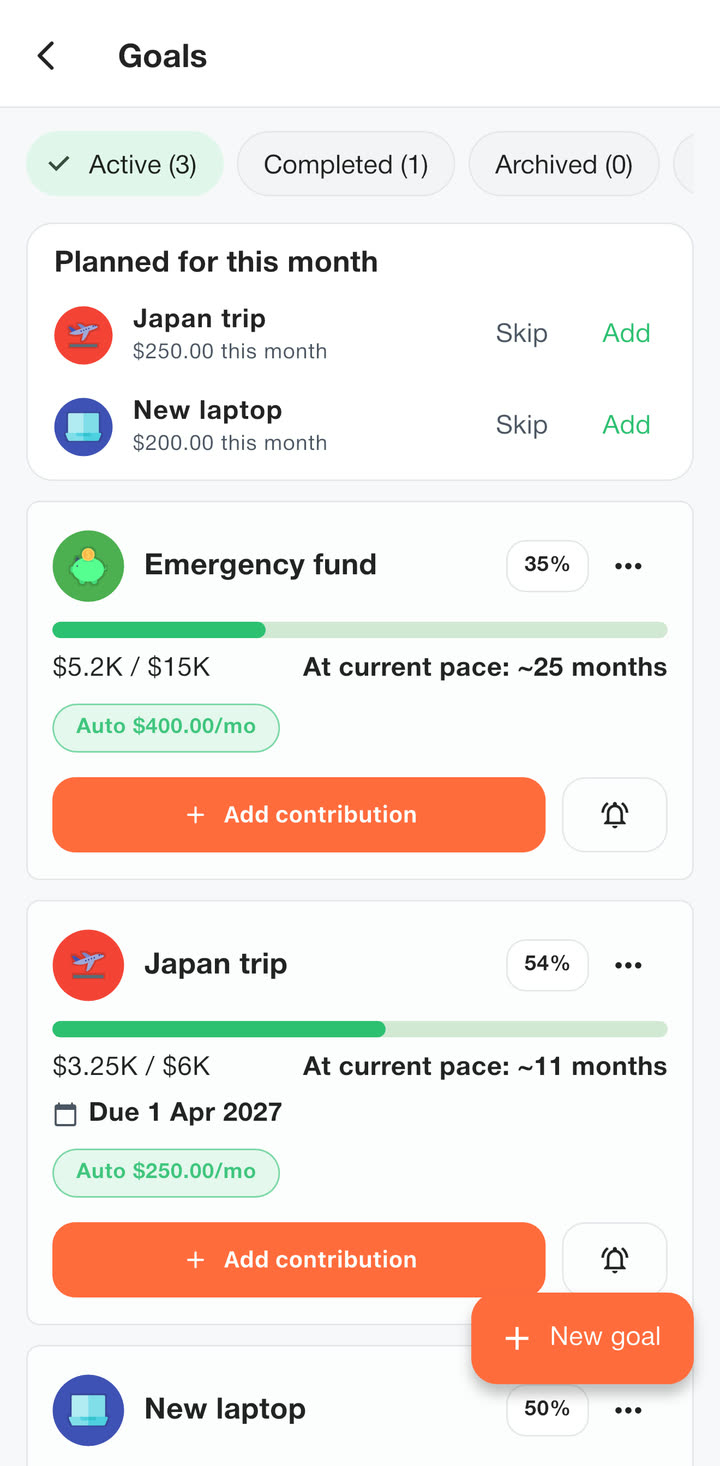
Saving for a trip or a new laptop? Set a target, a date if there is one, and how much to put aside each month.
Each month Home asks for that month’s saving, and you add it or skip it. Every goal shows how long it will take at your current pace: about 25 months for the emergency fund here.
- A reminder at the end of each month
- A small celebration when you make it
Goals only track progress. The money itself stays in your bank account.
Free on iPhone and Android
No account to make. Install it, pick your currency and log the first purchase.